See it on your skin before you ink.
Inkfit is a photo-based AI tattoo preview. Browse an idea gallery, design with AI, and wrap any tattoo onto your own body — realistically — before you commit.
Describe it. AI designs it.
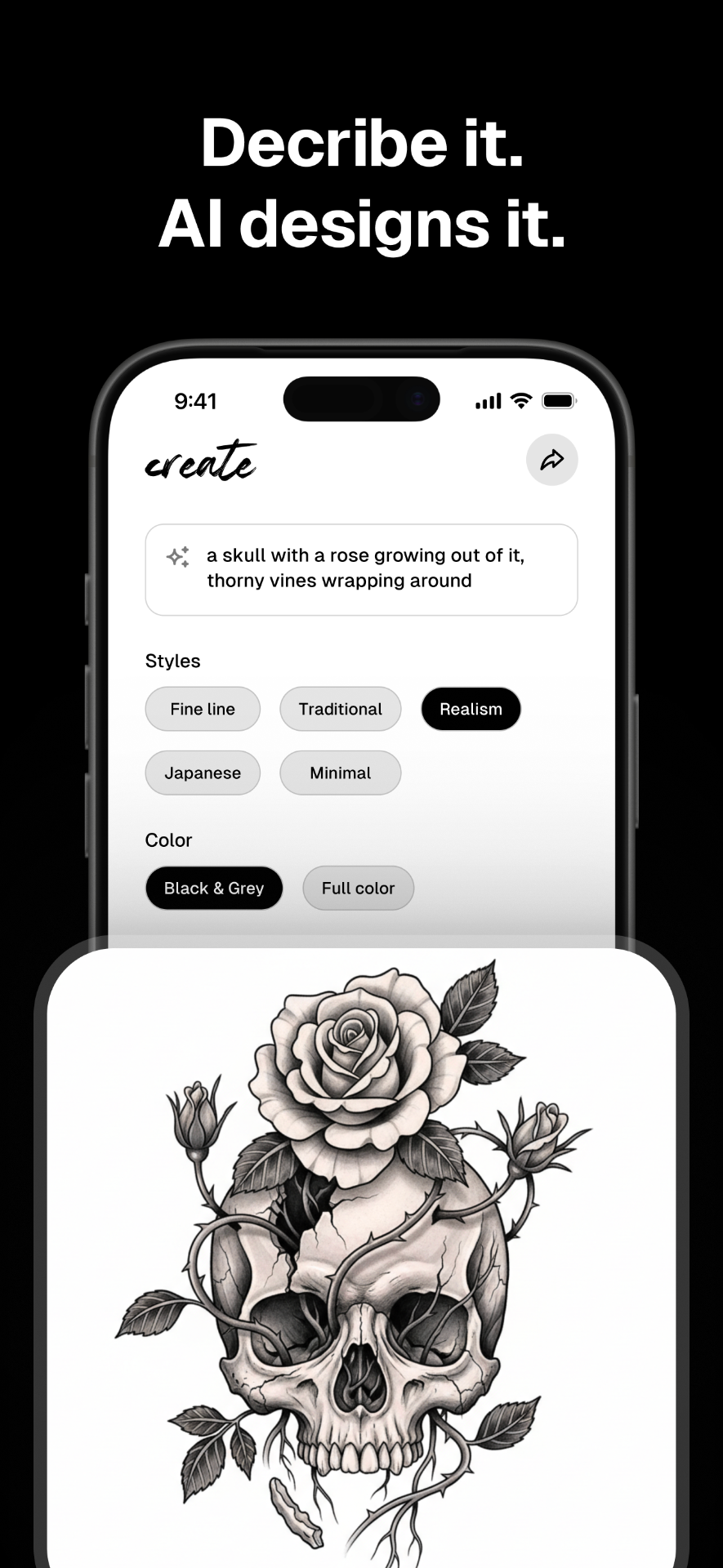
Type what you want — "a skull with a rose growing out of it, thorny vines wrapping around" — pick a style and color, and Inkfit generates original tattoo designs in seconds. No stock art, no scraped flash. Every piece is yours.
- Custom AI generation from a prompt
- Fine line, Realism, Traditional, Japanese, Minimal
- Owned library — no third-party artwork
Every style, one app.
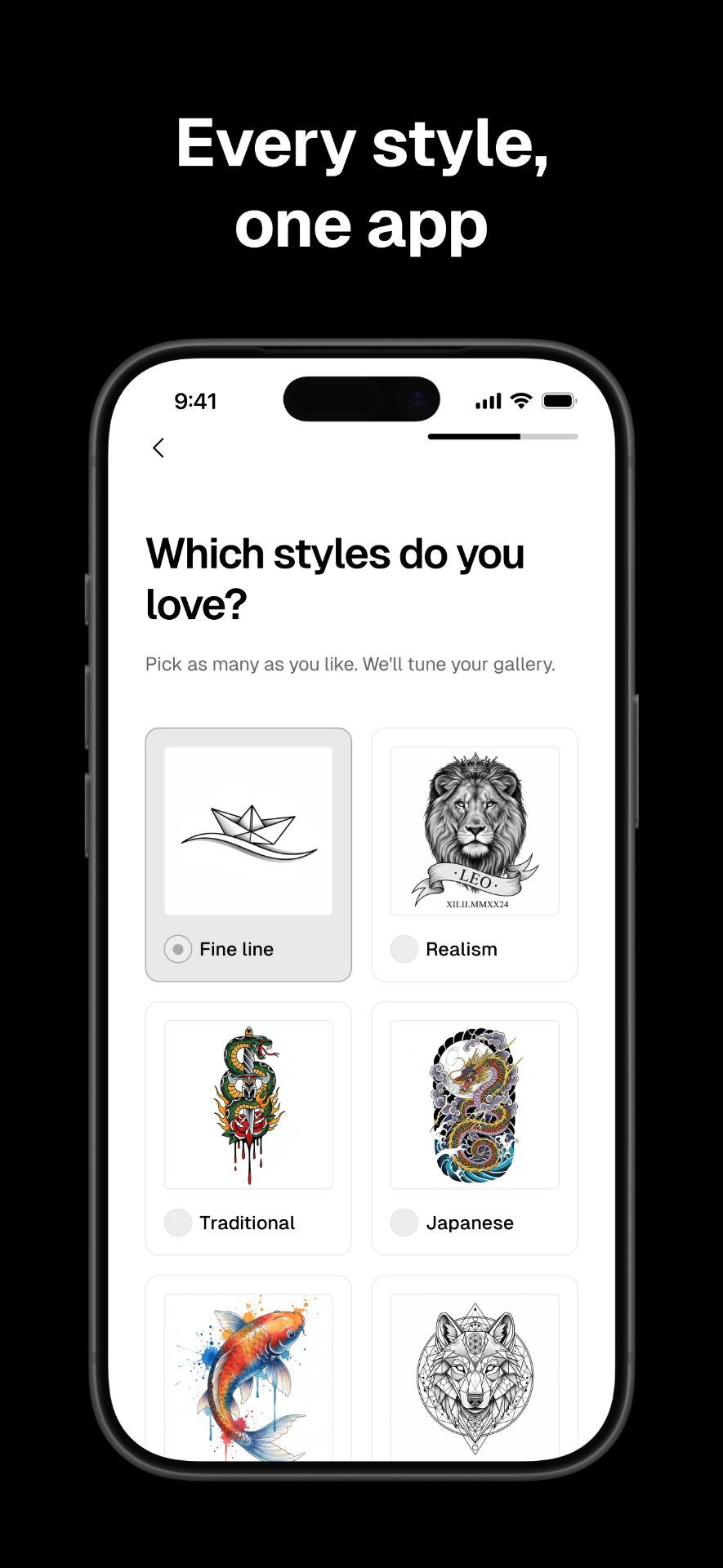
Tell Inkfit which styles you love and your gallery re-tunes itself. Fine line, Realism, Traditional, Japanese, Watercolor, Geometric — every idea you see is picked to match your taste.
Photoreal results, on your skin.
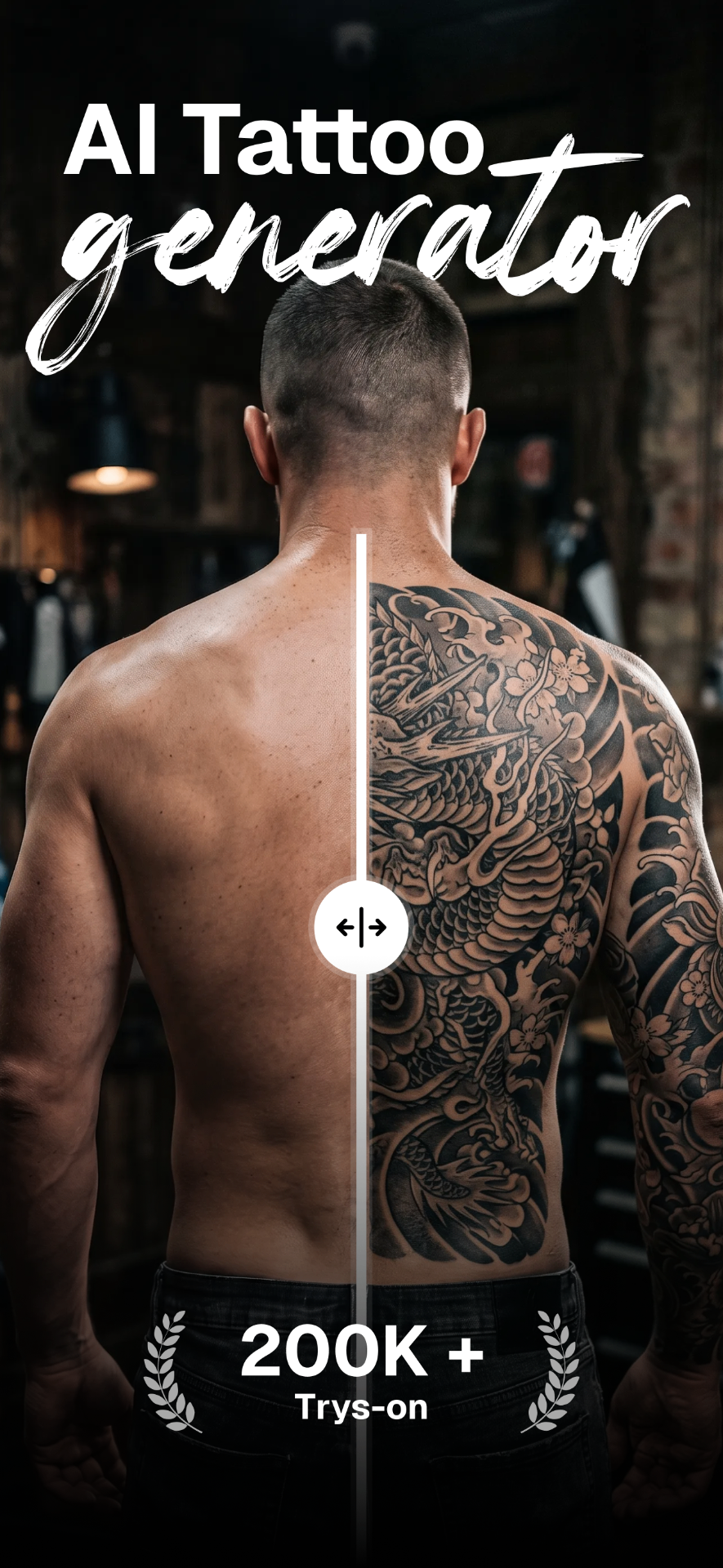
Snap a photo of your arm, back, chest — anywhere — and Inkfit wraps the design onto your body in realistic 3D. Not a flat sticker. Get the size and placement right before the needle ever touches you.
- Photo-based, no AR markers or complicated setup
- Drag, resize, rotate for placement testing
- Realistic 3D compositing — wraps to muscle & shadow
From idea to inked preview in under a minute.
Browse or create
Scroll a gallery tuned to your taste, or describe your dream tattoo and let AI draw it.
Snap your skin
Take a quick photo of the arm, back, chest — wherever you're thinking of placing it.
See it in 3D
Inkfit wraps your design onto your body — realistically — so you can commit with confidence.
Real skin. Real decisions.
"I've wanted a sleeve for years but was terrified of picking the wrong design. Seeing it wrapped on my actual arm changed everything."
"Tried three different placements for my back piece before booking. My artist actually said the reference was insanely helpful."
"Used it to plan a cover-up. Being able to see the new design over the old one saved me a consultation and a lot of doubt."
Why Inkfit beats flat AR stickers.
| Inkfit | AR apps | Basic try-on | |
|---|---|---|---|
| Photo-based try-on | |||
| Realistic 3D compositing | |||
| AI design from a prompt | |||
| No AR markers required | |||
| Owned, original art library | |||
| Watermark-free HD export |
Free to try. Pro when you're serious.
Inkfit is free to download. Manual 2D try-on and a starter AI design allowance are on the house. Upgrade to Pro for realistic 3D try-on, unlimited AI generation and watermark-free HD exports.
Free
- Browse the full idea gallery
- 2D try-on with drag, resize & rotate
- Starter AI design generations
- Watermarked save & share
Pro
Best valueor $6.99 weekly · billed via App Store
- Realistic 3D try-on, wrapped to your body
- Unlimited AI design generation
- Watermark-free HD export & share
- Priority generation queue
Subscriptions auto-renew via your Apple ID. Cancel anytime from Settings. No free trial.
The honest questions.
Does Inkfit use AR?
No. Inkfit is photo-based: you take a photo of your body and we composite the tattoo onto it. No markers, no live camera dance, no weird distortion.
How realistic is the 3D try-on?
The Pro 3D try-on runs in the cloud and wraps the design to your skin — respecting shape, shadow and muscle. It's meant as a serious preview, not a filter.
Where do the tattoo designs come from?
Every design in the Inkfit library is owned AI-generated art. Nothing scraped, nothing borrowed from artists without consent. You can also upload your own design with a rights confirmation step.
Can I share the preview with my tattoo artist?
Yes. Save any try-on to your Collection and share it through the native share sheet, with size and placement reference baked in. Free shares are watermarked; Pro shares are clean.
Is there a free trial?
No trial — the Free tier is genuinely free forever, so you can try 2D previews and a starter allowance of AI designs before deciding on Pro.
What about my photos?
You control your uploads. Body photos are stored with your device identifier and can be deleted from your Collection at any time; we don't sell your images or train public models on them.